How to Delete Your Puppy Match Account
Follow these simple steps to delete your account and all associated data
Deletion Steps
1
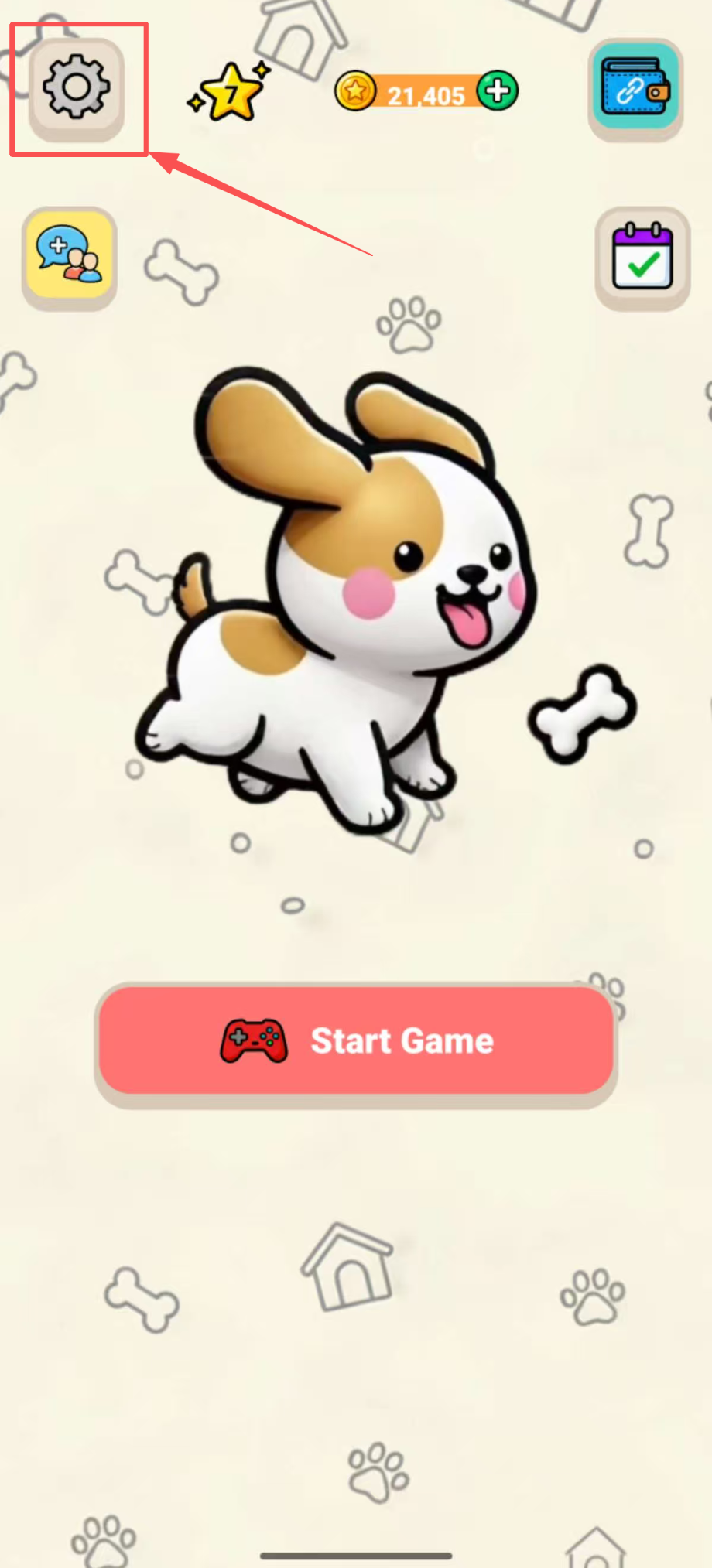
Open Settings
Launch the Puppy Match app and tap the Settings icon on the home screen.
2
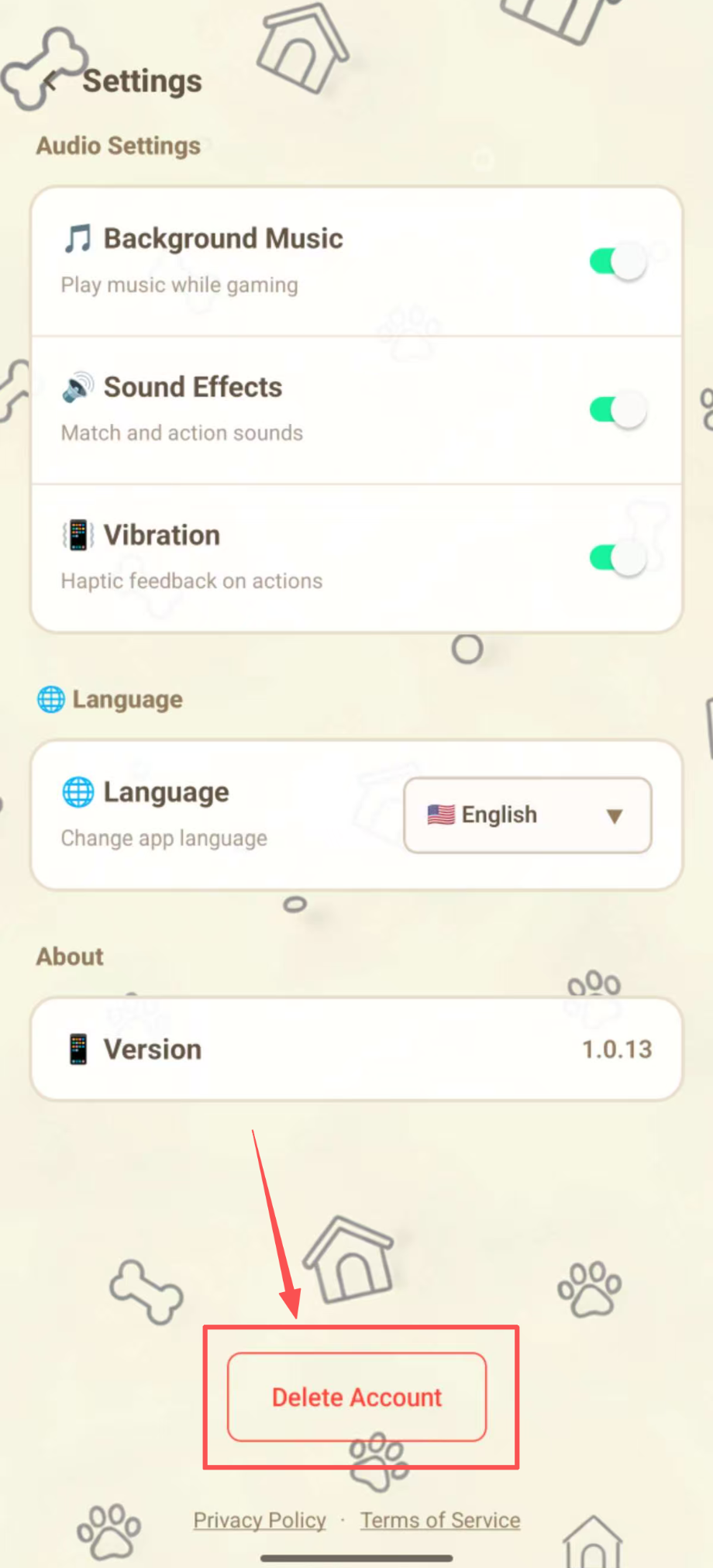
Find "Delete Account"
Scroll down to the bottom of the Settings page. You will see a red "Delete Account" button.
3
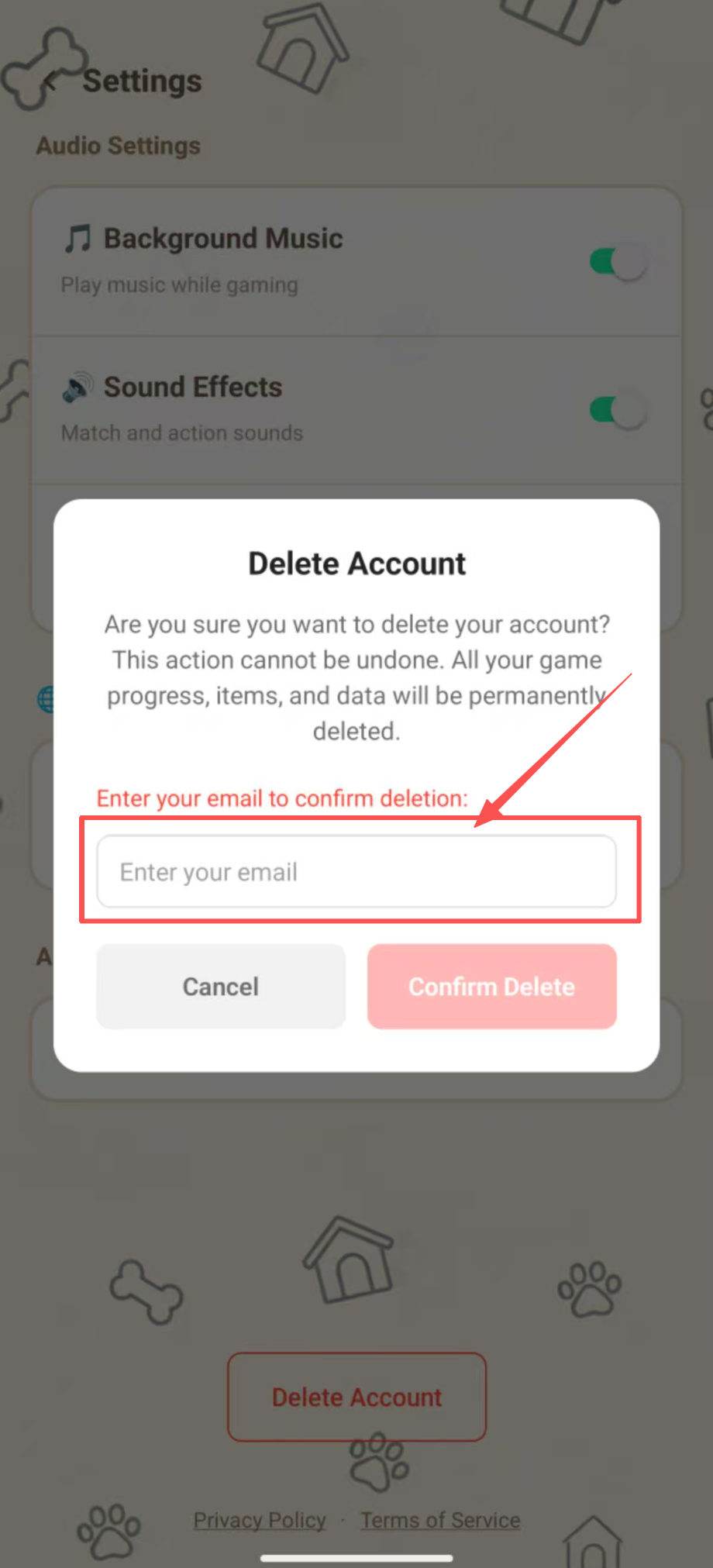
Confirm Your Identity
A confirmation dialog will appear. Enter your email address to verify your identity.
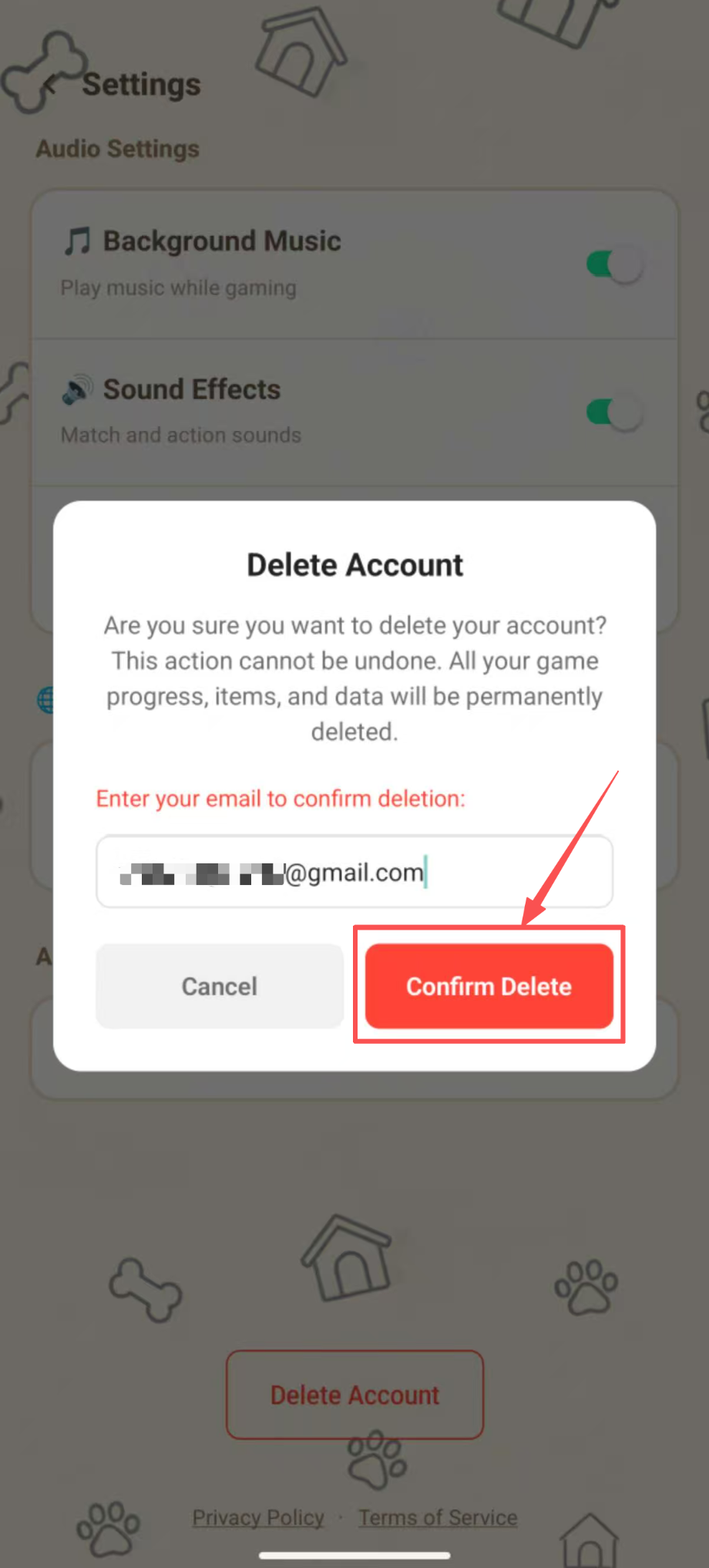
4
Complete Deletion
Tap "Confirm Delete" to permanently delete your account. You will be logged out automatically.
What Data Will Be Deleted?
When you delete your account, the following data will be permanently removed:
- Account Information Email, username, avatar, login credentials
- Game Progress All level completions, scores, and story mode progress
- Items & Inventory Hints, shuffles, resets, and any purchased items
- Points & Rewards All earned points, check-in records, and milestone rewards
- Referral Data Referral codes, invited friends records
- Wallet Connection Any linked wallet addresses (if applicable)
Important Warning
Account deletion is permanent and irreversible. Once deleted, your data cannot be recovered. All your game progress, items, and rewards will be lost forever. Please make sure you want to proceed before confirming.